Winfig Bootstrap: Bootstrapping Your Windows Environment
Overview
Winfig Bootstrap is a foundational module within the Winfig ecosystem designed to provide a comprehensive solution for setting up a complete Windows development environment. This enterprise-grade toolkit automatically configures your system with essential tools, package managers, and development utilities.
Features Overview
| Feature | Description |
|---|---|
| Safety & Backup | Creates restoration points and validates system |
| System Validation | Verifies prerequisites and compatibility |
| Bloatware Removal | Removes 40+ unnecessary applications |
| Package Managers | Integrates Chocolatey and Winget |
| Registry Tweaks | Applies 15+ performance optimizations |
| Tool Installation | Installs 50+ essential utilities |
| Winutil Integration | CTT Winutil for system management |
| Logging & Reporting | Detailed operation logs and auditing |
Prerequisites
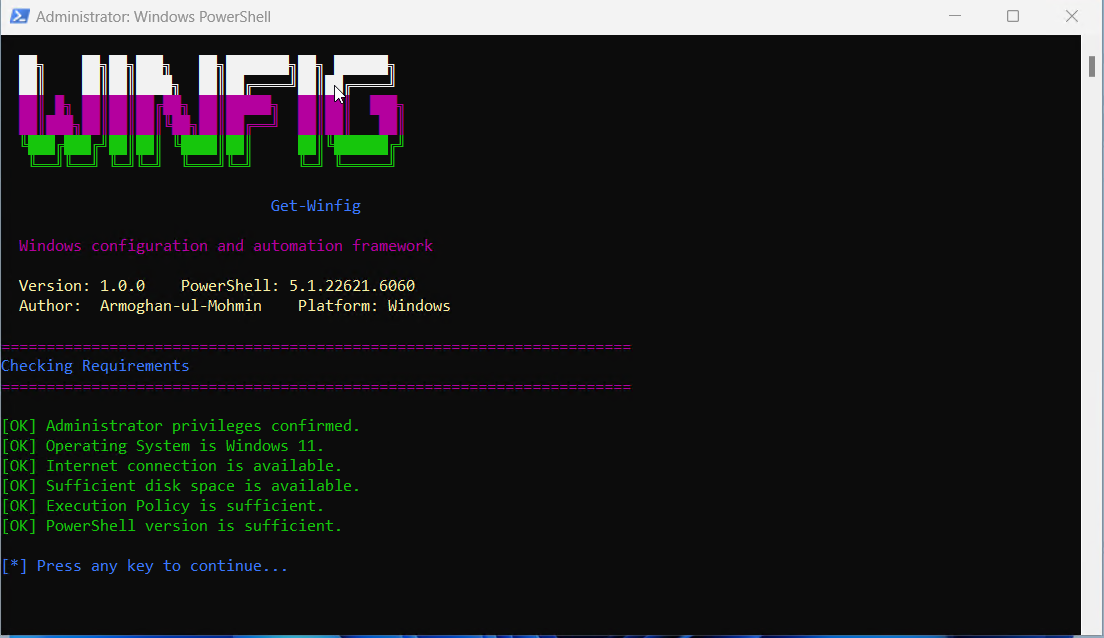
Before running Winfig Bootstrap, ensure your system meets these requirements:
- Operating System: Windows 11 (Build 22000 or higher)
- PowerShell: Version 5.1 or higher
- Privileges: Administrator/elevated privileges required
- Internet: Active internet connection required
- Storage: Minimum 10GB free disk space
- Execution Policy: Must allow script execution (RemoteSigned, Unrestricted, or Bypass)
What Bootstrap Does
-
Safety First
Creates system restore points and validates prerequisites before making any changes
-
Remove Bloatware
Intelligently removes 40+ unnecessary apps and services to optimize performance
-
Registry Optimization
Applies 15+ essential registry tweaks for better privacy and usability
-
Tool Installation
Installs 50+ essential development tools, utilities, and applications
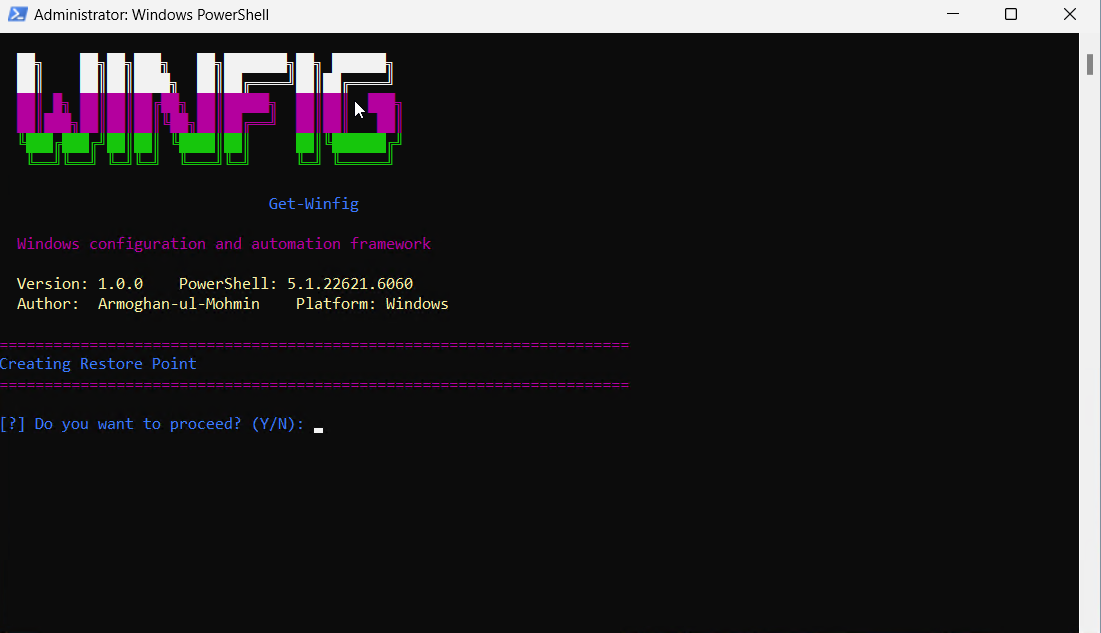
Bootstrap Workflow
flowchart TD
    A[Start Bootstrap] --> B[Create Restore Point]
    B --> C[Validate System Prerequisites]
    C --> D[Setup Package Managers]
    D --> E[Debloat System]
    E --> F[Apply Registry Tweaks]
    F --> G[Run CTT Winutil]
    G --> H[Install Essential Tools]
    H --> I[Complete Bootstrap]
Progress Tracking
The script provides real-time feedback:
- Phase 1: System Preparation (2-5 minutes)
- Phase 2: Package Manager Setup (5-10 minutes)
- Phase 3: Debloat the system (5-10 minutes)
- Phase 4: Apply Registry Tweaks (3-7 minutes)
- Phase 5: Run CTT Winutil (5-10 minutes)
- Phase 6: Install Tools (30-60 minutes)
Total Time
Complete bootstrap typically takes 40-90 minutes depending on your internet connection and system specifications.
Installation Methods
One-line installation - Downloads and runs automatically:
Invoke-RestMethod -useb https://raw.githubusercontent.com/Get-Winfig/winfig-bootstrap/main/bootstrap.ps1 | Invoke-Expression
Why Web Install?
- Always gets the latest version
- No manual download required
- Automatic script verification

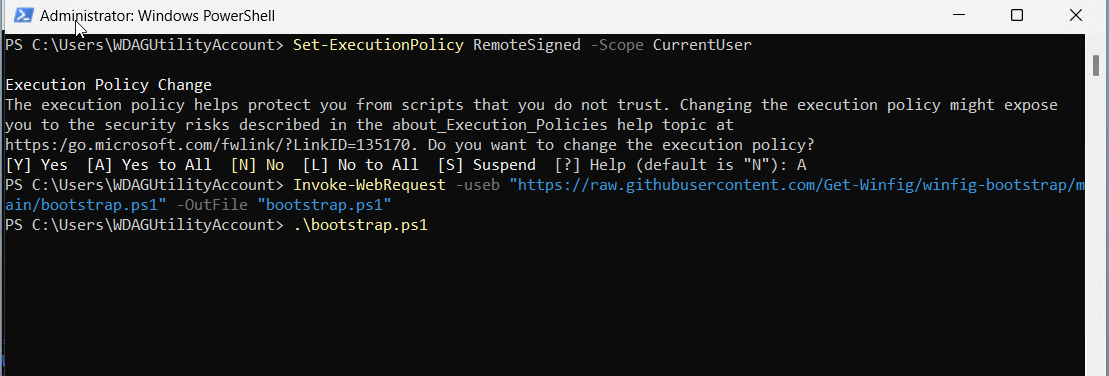
Download and run manually for offline environments:
Set-ExecutionPolicy RemoteSigned -Scope CurrentUser
# Download from GitHub
Invoke-WebRequest -useb "https://raw.githubusercontent.com/Get-Winfig/winfig-bootstrap/main/bootstrap.ps1" -OutFile "bootstrap.ps1"
Unblock-File -Path .\Bootstrap.ps1
.\Bootstrap.ps1
Note
- Ensure you have the latest script version
- Manual updates required for new releases
- Verify script integrity before running
Debloat Features
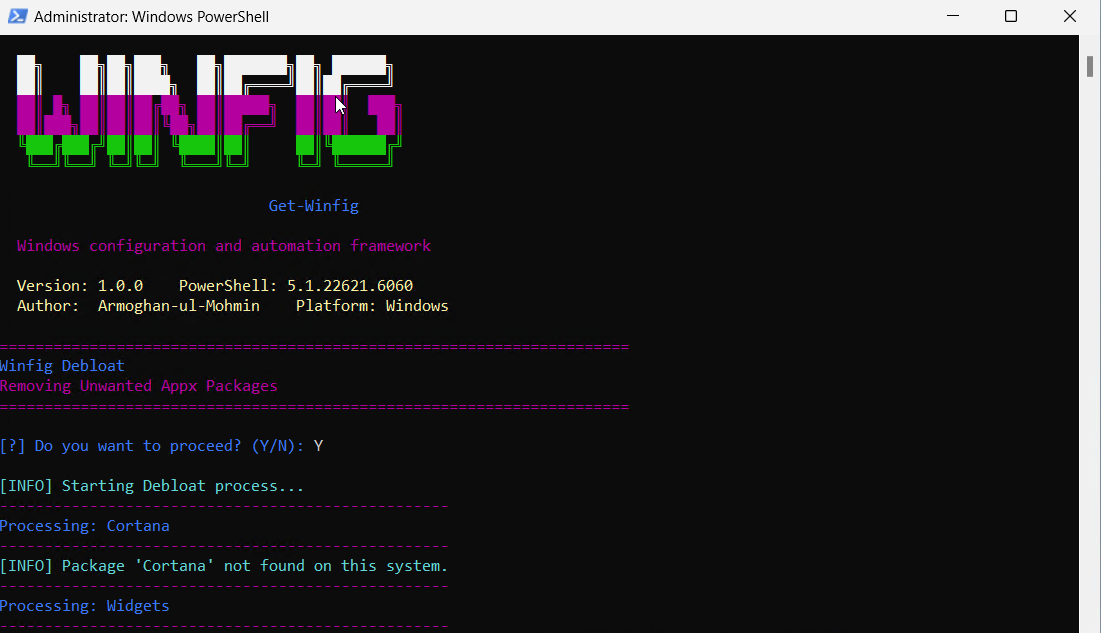
Bloatware Removal Summary
Bootstrap removes 40+ unnecessary applications across 6 categories to optimize your Windows environment and improve system performance.
| Application | Description |
|---|---|
| Cortana | Microsoft's virtual assistant |
| Widgets | Windows 11 widgets panel and platform runtime |
| Get Help | Microsoft help application |
| Weather | Microsoft Weather app |
| News | Microsoft News app |
| Microsoft To Do | Task management application |
| Solitaire Collection | Card games collection |
| Feedback Hub | Windows feedback collection tool |
| Office Hub | Microsoft Office launcher |
| Power Automate Desktop | Workflow automation tool |
| 3D Viewer | 3D model viewing application |
| Skype | Video calling application (consumer version) |
| Tips App | Windows tips and tutorials |
| OneNote for Windows 10 | Note-taking application (legacy version) |
| Sticky Notes | Digital sticky notes application |
| Mixed Reality Portal | VR/AR platform interface |
| Quick Assist | Remote assistance tool |
| Dev Home | Developer environment setup tool |
| Microsoft Security | Security management dashboard |
| Start Experiences App | Start menu enhancement features |
| Microsoft PC Manager | System optimization tool |
| Maps | Microsoft Maps application |
| Alarms & Clock | Time management utilities |
| People | Contact management application |
| Movies & TV | Media player application |
| Groove Music | Music player application |
| Get Started | Windows introduction app |
| Microsoft Pay | Digital wallet application |
| Mobile Plans | Cellular plan management |
| Microsoft Messaging | SMS/messaging application |
| Snip & Sketch / Snipping Tool | Screenshot utilities |
| Application | Description |
|---|---|
| Xbox Console Companion | Legacy Xbox application |
| Xbox Gaming App | Modern Xbox gaming platform |
| Xbox Identity Provider | Xbox authentication service |
| Xbox Speech To Text Overlay | Gaming accessibility feature |
| Xbox Game Overlay | In-game overlay system |
| Xbox Live in-game experience | Gaming social features |
| Application | Description |
|---|---|
| Microsoft Teams (Personal) | Consumer video calling |
| Microsoft Teams | Business communication platform |
| Application | Description |
|---|---|
| Spotify | Music streaming application |
| Disney+ | Video streaming service |
| Social media application | |
| Professional networking application |
| Application | Description |
|---|---|
| Bing Search | Integrated web search functionality |
| Clipchamp | Video editing application |
| Application | Description |
|---|---|
| Widgets Platform Runtime | Backend for widgets system |
| Start Experiences App | Enhanced start menu features |
Safe Removal
All applications are safely removed without affecting core Windows functionality. The process only removes existing applications and will not attempt to uninstall apps that are not present.
Recovery
Removed applications can be reinstalled from the Microsoft Store if needed. A system restore point is created before any changes.
Registry Tweaks
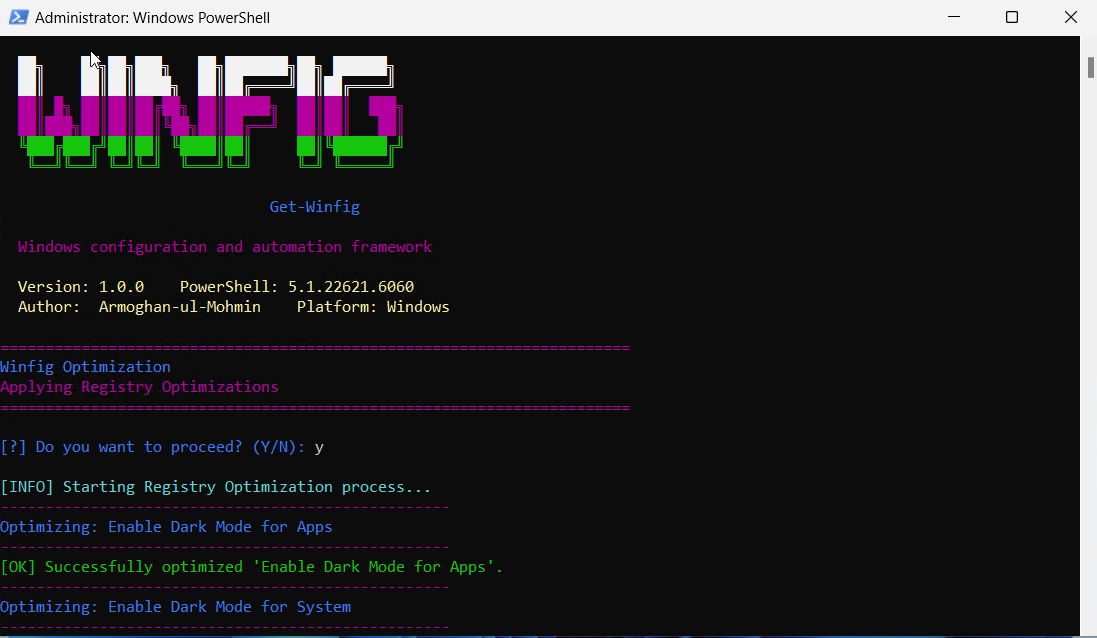
Registry Optimization Summary
Bootstrap applies 20+ essential registry tweaks across 7 categories to enhance system performance, security, privacy, and usability.
| Tweak | Description |
|---|---|
| Enable Dark Mode for Apps | Sets applications to use dark theme |
| Enable Dark Mode for System | Sets system interface to use dark theme |
| Tweak | Description |
|---|---|
| Disable Bing Search in Start Menu | Removes web search integration from Start menu |
| Show Search Icon in Taskbar | Displays search icon instead of search box |
| Hide Recommended Section in Start Menu | Removes suggested apps and files from Start menu |
| Hide Recommended Files in Explorer | Removes file recommendations in File Explorer |
| Tweak | Description |
|---|---|
| Enable Verbose Boot Messages | Shows detailed startup information |
| Show Crash Details on BSOD | Displays technical information during system crashes |
| Disable Sad Face on BSOD | Removes emoticon from Blue Screen of Death |
| Tweak | Description |
|---|---|
| Disable Education Environment Features | Turns off education-specific functionality |
| Tweak | Description |
|---|---|
| Enable Enhanced Pointer Precision | Improves mouse accuracy |
| Set Mouse Acceleration Threshold 1 | Configures first acceleration point (6) |
| Set Mouse Acceleration Threshold 2 | Configures second acceleration point (10) |
| Disable Sticky Keys Notifications | Prevents accessibility prompts |
| Tweak | Description |
|---|---|
| Show Hidden Files and Folders | Displays hidden system files and folders |
| Show File Extensions | Shows file extensions for all file types |
| Hide Task View Button | Removes Task View button from taskbar |
| Tweak | Description |
|---|---|
| Disable Implicit Text Input Collection | Prevents text input data collection |
| Disable Implicit Ink Input Collection | Prevents handwriting data collection |
| Disable Silently Installed Apps/Suggestions | Stops automatic app installations |
| Disable Consumer Features | Removes pre-installed apps and suggestions |
| Disable Windows Telemetry/Data Collection | Turns off system data collection |
| Disable Spotlight/Ads on Lock Screen | Removes advertising from lock screen |
| Disable Customer Experience Improvement Program (CEIP) | Stops participation in feedback program |
Registry Safety
All registry modifications are applied safely with proper validation. A system restore point is created before any changes are made.
Benefits
These tweaks improve system performance, enhance privacy, reduce telemetry, and create a cleaner Windows experience while maintaining system stability.
Installed Tools & Applications
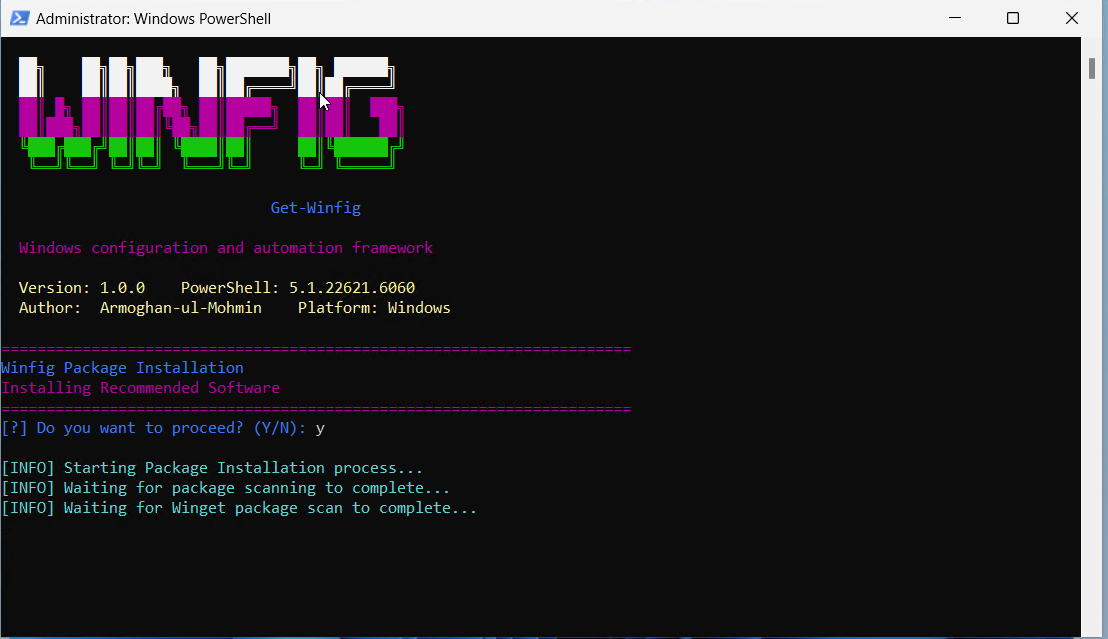
Package Summary
Bootstrap installs 50+ carefully selected tools across 8 categories, with optional installations marked for user choice.
| Tool | Description | Installation |
|---|---|---|
| Git | Version control system for tracking code changes | Required |
| Visual Studio Code | Feature-rich code editor with IntelliSense | Required |
| GitHub CLI | Official GitHub command-line interface | Optional |
| Sublime Text 4 | High-performance text editor | Required |
| Neovim | Hyperextensible Vim-based text editor | Optional |
| Neovide | Modern GUI for Neovim | Optional |
| Tool | Description | Installation |
|---|---|---|
| Go | Statically typed compiled language | Required |
| Rust | Systems programming language | Required |
| LLVM-MinGW | C++ build tools and compiler | Required |
| uv | Ultra-fast Python package installer | Required |
| nvm-windows | Node.js version manager | Required |
| Tool | Description | Installation |
|---|---|---|
| PowerShell | Cross-platform automation platform | Required |
| Windows Terminal | Modern terminal application | Required |
| LazyGit | Beautiful terminal interface for Git | Optional |
| OneFetch | Project information with ASCII art | Optional |
| Bat | Enhanced file viewer with syntax highlighting | Required |
| fzf | Blazing-fast command-line fuzzy finder | Required |
| ripgrep | Ultra-fast text search tool | Required |
| Starship | Minimal, fast, customizable prompt | Required |
| Zoxide | Smarter cd command | Required |
| Fastfetch | System information tool | Required |
| Delta | Syntax-highlighting pager for Git | Required |
| Tool | Description | Installation |
|---|---|---|
| DevToys | Comprehensive developer toolbox | Optional |
| 7-Zip | High-compression file archiver | Required |
| ShareX | Advanced screen capture tool | Required |
| PowerToys | Collection of Windows utilities | Required |
| Nilesoft Shell | Enhanced Windows context menu | Required |
| gsudo | Sudo for Windows command-line | Required |
| OpenHashTab | File checksum verification in Explorer | Required |
| Super File | Modern dual-pane file manager | Optional |
| AutoHotkey | Scripting for hotkeys and automation | Required |
| HashMyFiles | Lightweight hash calculation utility | Required |
| ExifTool | Metadata reading/writing tool | Required |
| Ntop | Htop-like system monitor for Windows | Optional |
| Windhawk | Windows customization tool | Required |
| Tool | Description | Installation |
|---|---|---|
| HTTrack | Website downloader for offline browsing | Optional |
| Zen Browser | Privacy-focused web browser | Required |
| OpenVPN | Open-source VPN solution | Required |
| Tool | Description | Installation |
|---|---|---|
| Thunderbird | Full-featured email and calendar client | Optional |
| Notion | All-in-one workspace for notes and tasks | Optional |
| Obsidian | Powerful knowledge base on Markdown files | Optional |
| Zoom | HD video meetings and webinars | Optional |
| Discord | Voice, video, and text chat platform | Optional |
| Telegram | Cloud-based instant messaging | Optional |
| Tool | Description | Installation |
|---|---|---|
| OneDrive | Microsoft cloud storage with Office integration | Optional |
| Google Drive | Google file storage and collaboration | Optional |
| Dropbox | Cloud storage with file synchronization | Optional |
| Tool | Description | Installation |
|---|---|---|
| AnyDesk | Fast remote desktop access solution | Optional |
Installation Types
- Required: Automatically installed for optimal development environment
- Optional: User prompted for confirmation during installation
Customization
You can modify the package list in the script to add or remove tools based on your specific needs.
Troubleshooting
Common Issues
Most installation problems fall into these categories:
Problem: execution of scripts is disabled on this system
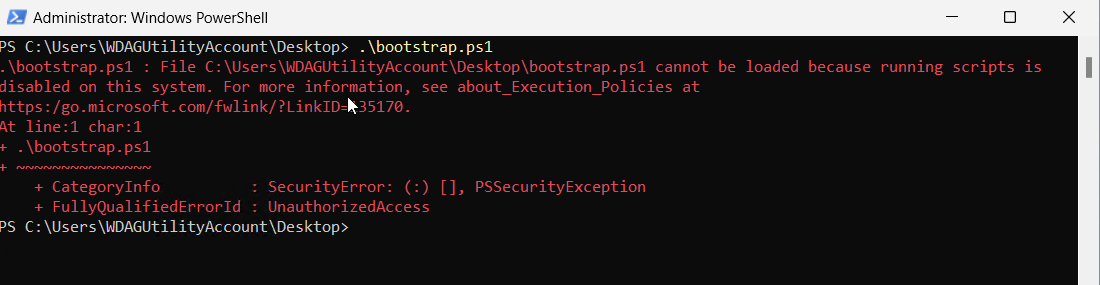
Solution:
Set-ExecutionPolicy RemoteSigned -Scope CurrentUser -Force
Problem: Access denied or permission errors
Solution: 1. Right-click PowerShell icon 2. Select "Run as Administrator" 3. Confirm UAC prompt
Problem: Downloads fail or timeout
Solutions:
- Check internet connection
- Disable VPN temporarily
- Try different DNS (8.8.8.8)
- Run Windows Network Troubleshooter
Problem: Individual packages fail to install
Solutions:
# Reset Windows Update components
net stop wuauserv
net start wuauserv

# Clear package manager cache
winget source reset --force
choco cache clean
Diagnostic Commands
# Check system integrity
sfc /scannow

# Verify package managers
winget --version
choco --version

# Test internet connectivity
Test-NetConnection -ComputerName "8.8.8.8" -Port 53